Amazon Growth
Written by

Sertac Altun | Founder
11-min read
Getting your brand on Amazon is not hard. Getting it on Amazon correctly is where most brands lose money.
The mistakes usually happen before the product ever goes live: the wrong account setup, missing Brand Registry, weak listing structure, bad inventory planning, no launch PPC, or compliance issues that suppress the listing before it gets traction.
This guide walks through the correct launch order and the traps that cost brands months. Follow it and you will not create problems you have to dig out of later.
What you'll need before you start:
EIN (Employer Identification Number) if operating as an LLC or corporation
UPC barcodes for every product variant (or a GTIN exemption, explained below)
Product images (minimum 6 per listing; main image on white background)
A business bank account for deposit
A credit or debit card for seller fees
A phone number for two-step verification
Step 1: Decide if Amazon is the right channel for your brand

Not every brand belongs on Amazon. The ones that launch without thinking this through usually regret it.
Amazon works extremely well for categories like home goods, kitchen and cookware, beauty and personal care, pet products, baby products, sports and outdoors, tools and hardware, and certain wellness products. These categories have high search volume, buying-intent traffic, and customers who default to Amazon first.
Compliance-heavy categories like supplements, ingestibles, topical products, and anything medical-adjacent can absolutely succeed on Amazon, but they require extra preparation before launch. Amazon's content policies in these spaces are stricter than Shopify or DTC, and launching without understanding them leads to suppressed listings and compliance reviews.
Amazon is harder for brands that sell ultra-luxury products where the brand experience matters more than the price comparison, or products that require in-person consultation or fitting.
The most common fear brand owners have is: "If I sell on Amazon, will it cannibalize my DTC store?" The honest answer is that it sometimes shifts where a sale happens, but rarely reduces total sales volume. Amazon brings you customers you would never have found otherwise. Most brands find that Amazon and DTC grow in parallel once the brand has meaningful visibility on the platform.
Step 2: Choose your selling plan (Individual vs. Professional)
Amazon offers two selling plans and the decision is simpler than Amazon makes it sound.
Individual plan
No monthly fee, but you pay $0.99 per item sold. The Individual plan is not built for brand launches. You lose access to key growth tools and will be limited compared to a Professional account, especially when it comes to advertising, bulk listing tools, A+ Content, and your ability to scale.
Professional plan
$39.99 per month, regardless of how many units you sell. This is the plan that gives you access to Amazon's advertising platform, A+ Content, Brand Store, and the tools you need to build a real brand presence.
The math is straightforward: if you expect to sell more than 40 units per month, which any serious brand should, the Professional plan costs the same or less than per-item fees while giving you every tool you need to compete.
Our recommendation: Go Professional from day one. Trying to build a brand on the Individual plan is like opening a store with no sign, no windows, and no way to advertise. Start as you mean to go on.
Step 3: Set up your Amazon Seller Central account
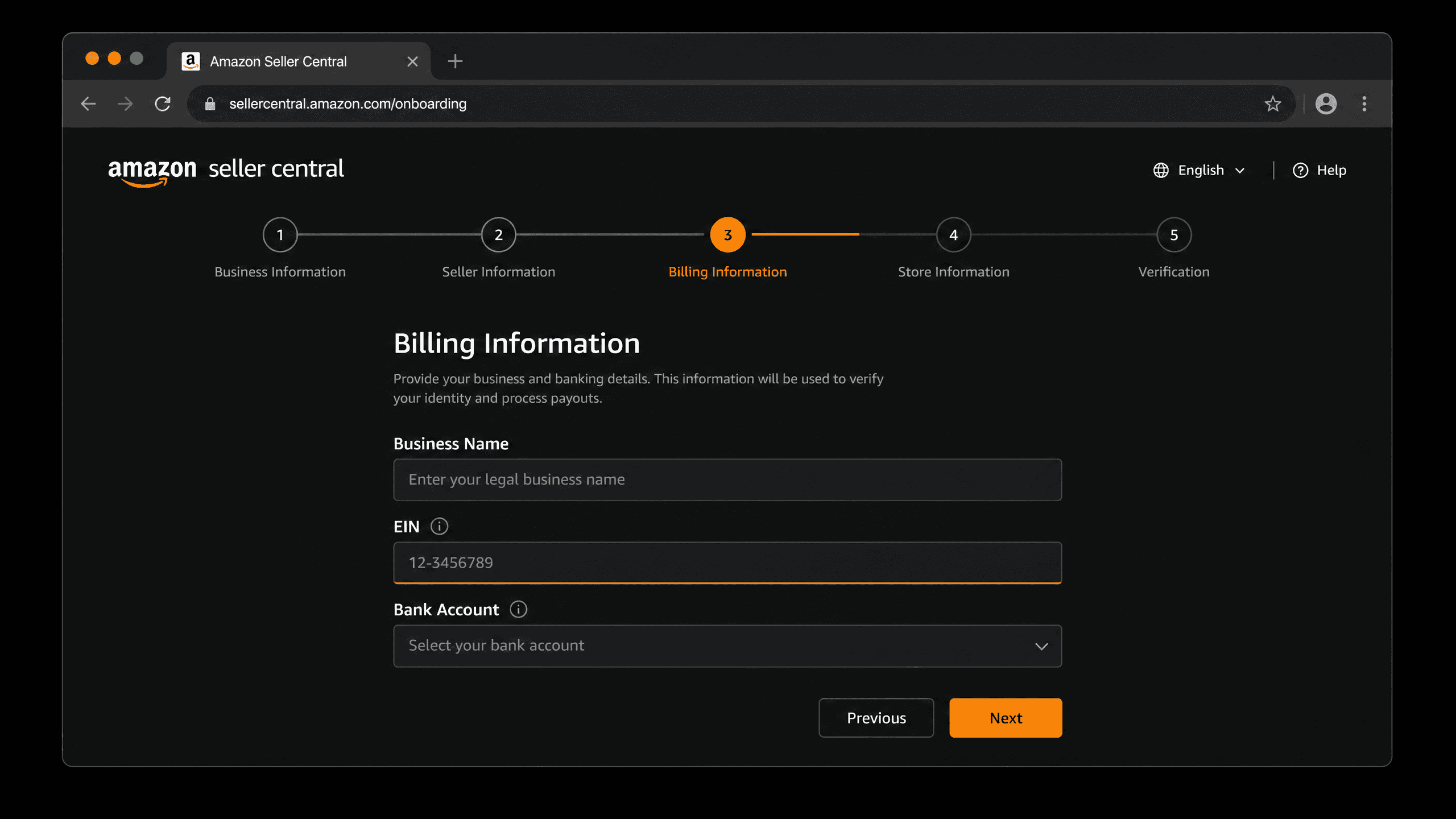
Go to sell.amazon.com and click "Sign up." You'll work through the following:
Legal entity information
Amazon asks for your business name and legal structure: sole proprietor, LLC, corporation, etc. Use your registered business name exactly as it appears on your tax documents.
Tax information
If you operate through an LLC or corporation, use your EIN and make sure it matches your business tax records exactly. Sole proprietors may be able to use an SSN in some cases, but serious brands should have their business entity properly set up before launching on Amazon.
Bank account
Amazon deposits your sales proceeds every two weeks. Link a business checking account, not a personal one.
Identity verification
Amazon will ask you to upload a government-issued ID and a bank statement or utility bill. This step can take 24 to 72 hours. Do not try to skip or rush it. Failed verification is one of the most common reasons new accounts get flagged before they've sold a single unit.
Two-step verification
Set this up with an authenticator app rather than SMS. SMS-based 2FA has been used in account hijacking attacks. An authenticator app is more secure and Amazon recommends it.
Once your account is verified, you'll be inside Seller Central. It looks overwhelming at first. You only need a handful of sections to launch.
Step 4: Choose FBA or FBM and understand why it matters
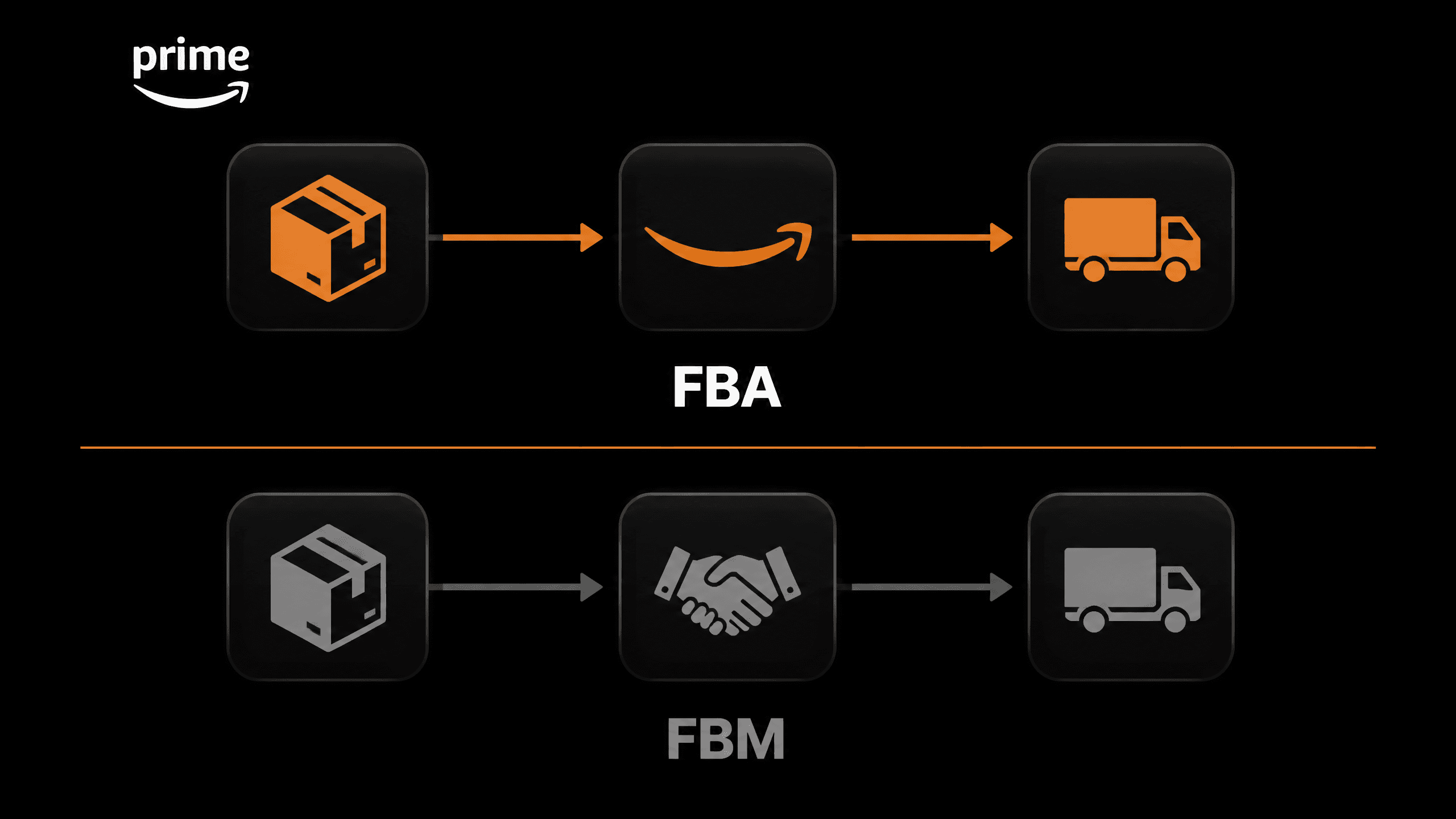
This is one of the most consequential decisions you'll make as a new Amazon seller.
FBA (Fulfilled by Amazon)
You ship your inventory to Amazon's warehouses. Amazon stores it, picks it, packs it, ships it to customers, and handles customer service and returns on standard orders. Your products become Prime-eligible, which puts them in front of one of the most purchase-ready customer bases in ecommerce.
FBM (Fulfilled by Merchant)
You store and ship each order yourself, or through a third-party logistics provider. You keep more control over packaging and fulfillment timelines, but you lose the Prime badge unless you qualify for Seller Fulfilled Prime, which has strict ongoing performance requirements.
For a new brand launching on Amazon: FBA is almost always the right starting point.
Prime eligibility indirectly improves your ranking because it increases click-through rate, conversion rate, and Buy Box competitiveness. Customers filter by Prime constantly. When two comparable products sit side by side, the Prime listing wins the sale the majority of the time.
The one exception where FBM makes more sense: products with very low selling prices, typically under $10 to $12. At that price point, FBA's per-unit fulfillment fees can eliminate your margin. Run the numbers before you commit using Amazon's Revenue Calculator inside Seller Central.
Step 5: Create your first product listing
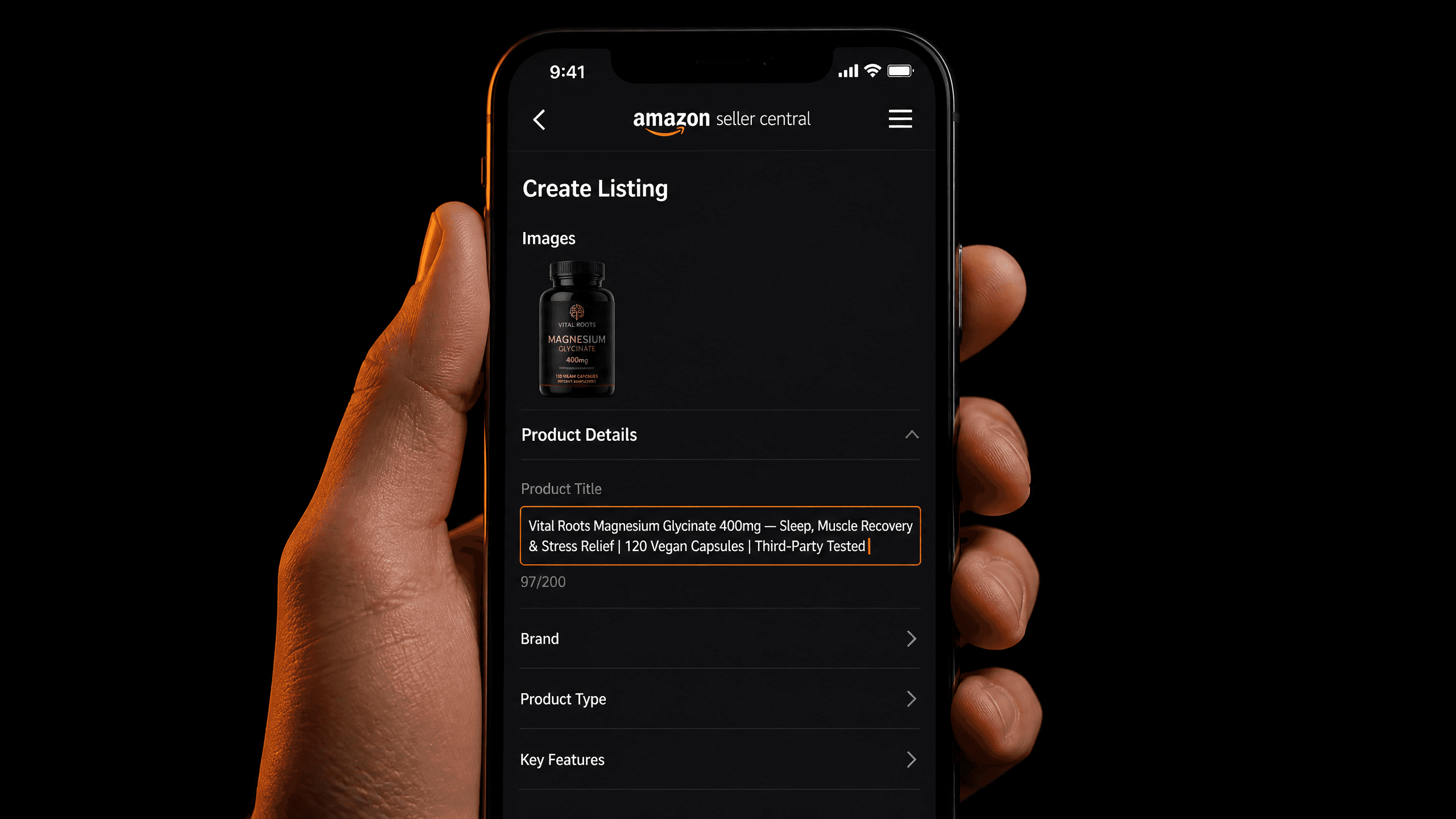
This is where most brands leave money on the table. Not because they do it carelessly, but because they do not realize how much the quality of a listing compounds over time.
Product title
Lead with your primary keyword, then your brand name, then key features. Keep it under 200 characters. Do not keyword stuff. Amazon has suppressed listings for this. A good title reads naturally while containing the words customers actually search.
Bullet points
You get five. Each one should open with a benefit (Amazon's convention is to capitalize these), followed by a supporting explanation. Do not use all five to list features. Use them to answer the objections a customer has before they buy.
A+ Content
If you have Brand Registry, build A+ Content. It is a visual, module-based layout that meaningfully increases conversion rates. Do not ignore the standard description fields even when A+ is live. A+ helps conversion; your title, bullets, backend keywords, and supporting copy help Amazon understand what the product is and where to surface it.
Backend keywords
There is a hidden "Keywords" field in Seller Central that customers never see but Amazon's algorithm reads constantly. Fill all 250 bytes with relevant search terms that could not fit naturally in your title or bullets. No commas needed, just space-separated terms.
Product images
You need a minimum of six images. The main image must show the product on a pure white background (RGB 255, 255, 255) with no text, props, or watermarks. Secondary images should show the product in use, demonstrate scale, highlight key features, and answer common questions visually.
The single biggest mistake new brands make: copying the manufacturer description or their DTC product page directly into Amazon. Write original copy every time.
Step 6: Apply for Brand Registry
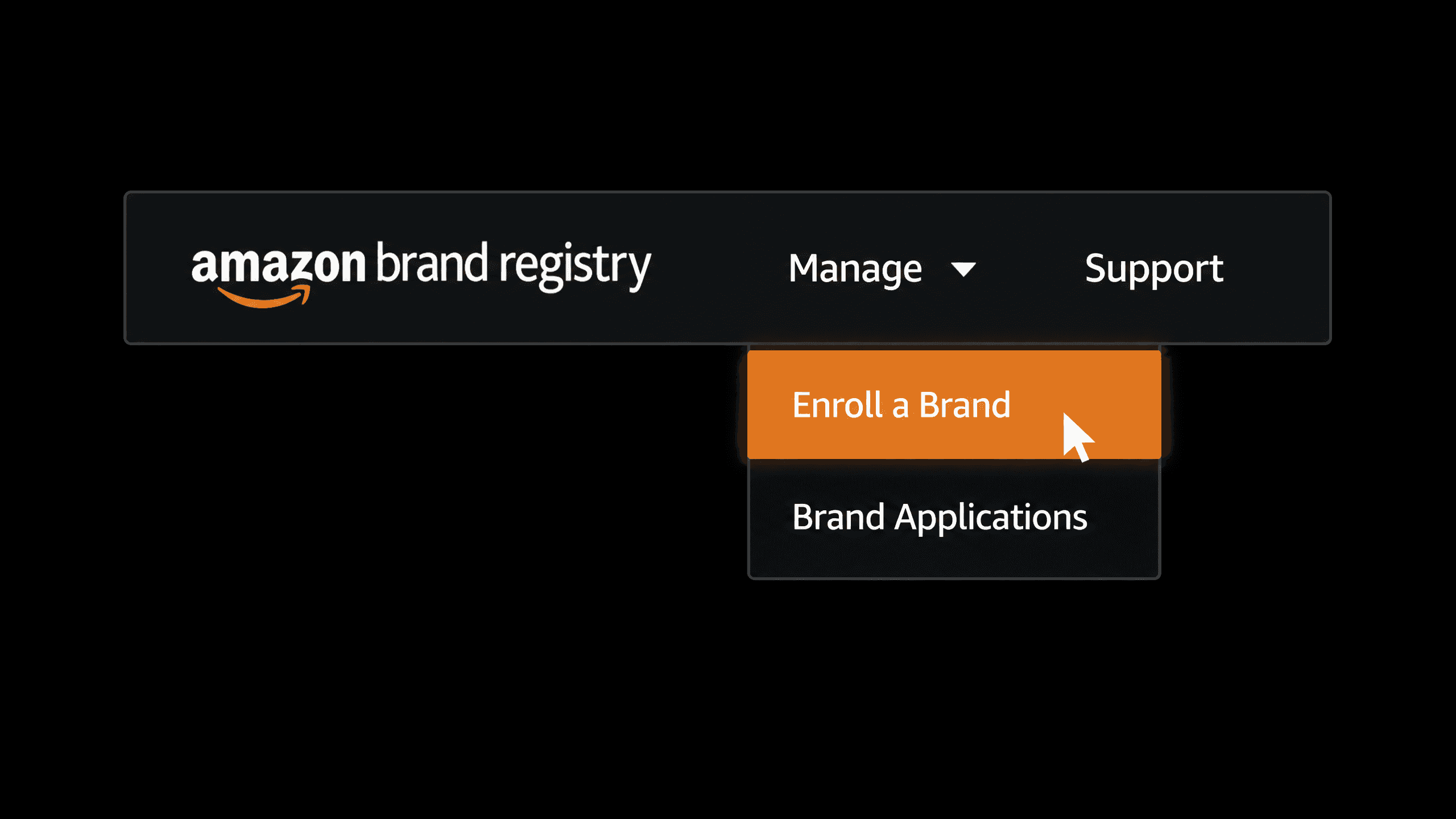
Amazon Brand Registry separates brand owners from generic resellers and you want to be enrolled before your listing goes live if possible.
What Brand Registry unlocks
A+ Content (visual product pages that meaningfully improve conversion)
Brand Store (your own storefront inside Amazon, free to build)
Sponsored Brand ads (banner ads at the top of search results)
Brand Analytics (search term data, competitor analysis, demographic reports)
Automated brand protection (Amazon proactively scans for counterfeits and unauthorized sellers)
What you need to apply
You typically need an active registered or pending trademark that Amazon accepts. In the US, a USPTO-registered trademark covering your brand name or logo is the standard path.
Trademark timing matters. Trademark timelines can take months and Brand Registry access often becomes a bottleneck for brands that did not start early. Begin your trademark application as soon as possible.
Amazon's IP Accelerator program connects sellers with Amazon-approved law firms for trademark filing, and in some cases Amazon may grant provisional Brand Registry access while a trademark application is pending.
Step 7: Send your first inventory shipment and go live
In Seller Central, go to Inventory > Manage Inventory > Send/Replenish Inventory. You will create a shipment plan where you tell Amazon how many units you are sending, the condition of the product, and your ship-from location.
Amazon will assign you one or more fulfillment centers. You will print FNSKU labels (one per unit) and apply them over any existing barcodes.
Amazon launch timeline
Stage | Time |
|---|---|
Account setup and verification | 1 to 7 days |
Listing creation | 1 to 3 days |
Inventory prep and shipping to Amazon | 5 to 28 days |
Amazon receiving and processing | 1 to 7 days |
Listing goes live | 24 to 48 hours after received |
Most brands that move efficiently go from zero to live in 3 to 5 weeks.
Brand Registry / trademark timeline
Stage | Time |
|---|---|
Trademark application filed | Day 1 |
USPTO processing (standard) | 8 to 12+ months |
Brand Registry access granted | After trademark registers |
These two timelines are independent. You do not need to wait for Brand Registry to go live on Amazon. Start your trademark application early and run both tracks at the same time.
How much inventory should you send? Target 60 to 90 days of projected sales. Going out of stock early is one of the most damaging things that can happen to a new listing. Rebuilding that ranking takes significantly longer than maintaining it.
After you go live: the first 30 days
Launching is not the finish line. The first 30 days determine whether your listing builds momentum or stalls.
Get your first reviews the right way
Use Amazon's "Request a Review" button inside each order in Seller Central to email verified buyers. What you must never do: ask friends or family to review, offer incentives for reviews, or use any off-Amazon review service. Amazon's review manipulation detection is sophisticated and the penalties operate at the account level.
Consider Amazon Vine early
Amazon Vine allows you to enroll eligible products so trusted Amazon reviewers can receive your product and leave honest reviews. Only use Vine once your listing, images, packaging, and product experience are strong. Vine reviewers are honest and can be critical if the product feels unfinished.
Run PPC from day one
Even a modest daily budget on Automatic campaigns helps generate traffic, sales data, and keyword signals. You do not need to be profitable on ads in week one. You need velocity and data.
Monitor your Account Health dashboard daily
Seller Central's Account Health section shows your order defect rate, late shipment rate, and any policy violations. A new account carries extra scrutiny.
Compliance: what wellness, beauty, and supplement brands must know
If your product is in supplements, wellness, beauty, food, medical-adjacent, or anything ingestible or topical, review your claims carefully before you launch.
Amazon is stricter than Shopify. Words and phrases like "cures," "treats," "detoxifies," "heals," "pain relief," "clinically proven," and certain weight-loss or disease-related claims can trigger listing suppression, compliance review, or outright removal. This applies even if those same claims have lived on your DTC site for years without issue.
Do not copy your DTC product page or packaging claims directly into Amazon without checking them against Amazon's restricted claims guidelines first.
Common launch mistakes that cost brands months
Creating listings before the brand and trademark structure are thought through. Brand Registry unlocks tools you will want immediately. The time to start your trademark process is before you launch, not six months after.
Using reseller UPCs instead of GS1 barcodes. Amazon has cracked down hard on third-party UPC resellers. Purchase legitimate barcodes from GS1 directly.
Sending too little inventory and stocking out during the launch window. Stock velocity in the first weeks is a critical ranking signal.
Launching without A+ Content or strong image assets. Traffic without conversion-ready creative is wasted ad spend.
Running PPC before the listing is conversion-ready. Ads bring visitors. A weak listing sends them away.
Making compliance claims Amazon may suppress. Especially relevant for supplements, topical products, and anything adjacent to health outcomes.
Assuming Amazon will grow automatically because the product sells well on Shopify. Amazon is a separate channel with separate ranking logic, separate customer behavior, and separate competitive dynamics.
FAQs